
In an increasingly digital world, the humble PDF remains a cornerstone of information exchange across industries, from legal and healthcare to finance and government. However, beneath its seemingly static surface, a PDF can harbor a wealth of sensitive data, both visible and hidden. As data privacy regulations like GDPR, HIPAA, and CCPA become more stringent, organizations face an urgent imperative to ensure every document they handle, especially PDFs, adheres to the highest standards of privacy and compliance. The days of simply drawing a black box over text are long gone; true data protection demands a sophisticated approach to redaction and metadata stripping that goes beyond mere obfuscation.
This guide delves into the complexities of achieving GDPR, HIPAA, and CCPA compliance for your PDF documents. We’ll explore why traditional methods fall short, uncover the hidden dangers lurking in PDF metadata, and provide practical strategies for implementing privacy-first redaction and metadata removal. Our goal is to empower you with the knowledge and tools to move beyond superficial fixes and embrace robust, compliant PDF handling practices.
Understanding the Regulatory Landscape: PDF Compliance Essentials
Before diving into the technicalities, it’s crucial to grasp the core tenets of the major data privacy regulations and how they impact your PDF documents. Non-compliance isn't just a legal risk; it erodes trust and can lead to severe financial penalties and reputational damage.
GDPR: The Gold Standard for Data Protection
The General Data Protection Regulation (GDPR), enacted by the European Union, is widely considered the world's strictest data privacy and security law. Its reach extends globally, impacting any organization that processes the personal data of EU citizens, regardless of where the organization is based. Key GDPR principles relevant to PDFs include:
- Data Minimization: Only collect and process data that is absolutely necessary for a specified purpose. This directly impacts what information should exist within a PDF in the first place and what must be removed if it’s no longer relevant or excessive.
- Storage Limitation: Personal data should only be kept for as long as is necessary for the purposes for which it was processed. Old, non-essential data in archived PDFs must be managed or deleted.
- Integrity and Confidentiality (Security): Personal data must be processed in a manner that ensures appropriate security, including protection against unauthorized or unlawful processing and against accidental loss, destruction, or damage, using appropriate technical or organizational measures. This is where secure PDF handling, redaction, and metadata stripping become paramount.
- Right to Erasure ('Right to be Forgotten'): Individuals have the right to request that their personal data be deleted or removed, which includes data present in PDFs.
For PDFs, GDPR compliance means ensuring that any personal data within them is handled with utmost care, is only present when necessary, and can be accurately and permanently removed when required.
HIPAA: Protecting Health Information in PDFs
The Health Insurance Portability and Accountability Act (HIPAA) sets the standard for protecting sensitive patient data in the United States. It applies to Covered Entities (health plans, healthcare clearinghouses, and healthcare providers) and their Business Associates. The core of HIPAA is the protection of Protected Health Information (PHI), which includes any individually identifiable health information held or transmitted by a covered entity or its business associate, in any form or media, whether electronic, paper, or oral.
When PHI is stored in PDFs (e.g., patient records, lab results, billing information), HIPAA's Security Rule and Privacy Rule mandate strict controls:
- Access Control: Limiting who can view and modify PHI.
- Integrity: Protecting PHI from improper alteration or destruction.
- Transmission Security: Safeguarding PHI against unauthorized access during electronic transmission.
- Disposal: Ensuring PHI is properly disposed of when no longer needed.
For healthcare organizations, HIPAA PDF redaction is not merely an option but a critical requirement to prevent unauthorized disclosure of PHI. This includes redacting PHI when sharing documents with third parties who do not have a legitimate need for that specific information.
CCPA/CPRA: Empowering California Consumers with Document Privacy
The California Consumer Privacy Act (CCPA), significantly expanded by the California Privacy Rights Act (CPRA), grants California consumers extensive rights regarding their personal information. It applies to businesses that meet certain thresholds and collect personal information from California residents.
Key CCPA/CPRA rights relevant to PDF document privacy include:
- Right to Know: Consumers can request to know what personal information a business collects about them.
- Right to Delete: Consumers can request that a business delete personal information collected from them.
- Right to Opt-Out: Consumers can opt-out of the sale or sharing of their personal information.
Businesses dealing with California residents must be able to identify, locate, and if requested, delete or provide access to specific personal information stored within their PDF documents. This necessitates robust PDF metadata removal and precise redaction capabilities to ensure compliance with consumer requests and avoid potential lawsuits.
The Hidden Dangers of PDFs: Beyond Visible Text
Many organizations mistakenly believe that simply visually obscuring sensitive information on a PDF is sufficient. This "black box" approach is a dangerous misconception. PDFs are complex file formats that can contain layers of hidden information, making them veritable digital minefields for privacy breaches.
What is PDF Metadata?
PDF metadata refers to data about data – information embedded within the PDF file that describes its characteristics and content, but which is often not immediately visible to the reader. This can include:
- Document Properties: Author, title, subject, keywords, creation date, modification date.
- Application Information: The software used to create the PDF (e.g., Microsoft Word, Adobe InDesign), its version, and even the operating system.
- Hidden Layers: In some PDFs, content might be intentionally or unintentionally placed on layers that are not visible by default.
- Comments and Annotations: Sticky notes, highlights, or text boxes that contain sensitive discussions or information.
- Embedded Objects: Files, attachments, or even scripts embedded within the PDF.
- Tracked Changes and Original Document History: If a document was converted from a word processor with track changes enabled, residual data from these changes can sometimes be extracted.
- Printer Marks and Cropping Information: Data related to how the document was prepared for printing or display.
Why Metadata Matters for Compliance and Privacy
The seemingly innocuous details within metadata can, in the wrong hands, lead to significant privacy breaches or provide critical clues for social engineering attacks. For example:
- An author's name and email could reveal an individual's identity, especially if they are a whistleblower or a patient.
- Creation and modification dates can establish timelines for sensitive events.
- Hidden text or comments might contain confidential discussions, draft versions with unredacted information, or even passwords.
- Software information could be used by malicious actors to identify vulnerabilities.
Under GDPR, HIPAA, and CCPA, personal information (including names, dates, locations, and even IP addresses or device information) found in metadata falls under the scope of regulated data. Failing to strip this metadata is a direct route to non-compliance, regardless of how meticulously you’ve redacted visible text.
Beyond the Black Box: True Redaction vs. Obfuscation
This distinction is perhaps the most critical concept in privacy-first PDF handling. Many users, relying on basic PDF editors or even image editing tools, attempt to "redact" by simply drawing black rectangles over sensitive text. This is a severe error.
The Problem with Simple "Blacking Out"
When you simply cover text with a black rectangle, the underlying text data often remains intact, merely hidden visually. Sophisticated users, or even simple copy-paste functions, can easily extract the "blacked out" text. This is because a rectangle is an overlay, not a permanent removal of the content layer beneath it. Tools designed for extracting text from PDFs or even forensic analysis can effortlessly peel back these visual coverings, exposing the supposedly redacted information.
What True Redaction Means: Permanent Removal
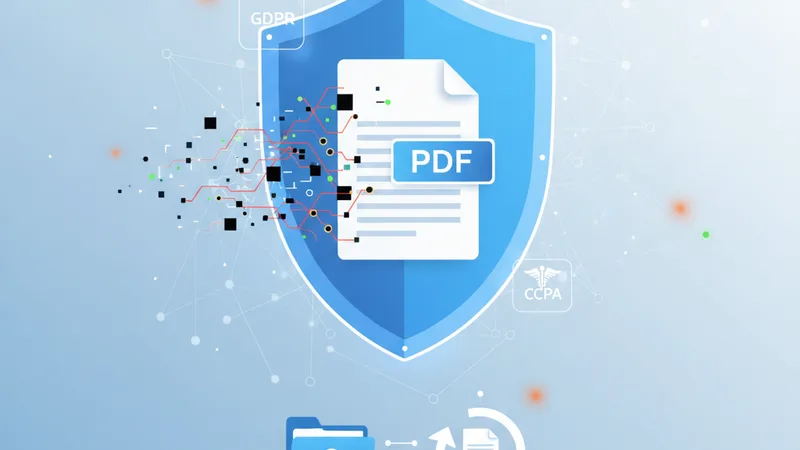
True redaction is the irreversible removal of selected content from a document, ensuring that the underlying data is permanently deleted and cannot be recovered or revealed through any means. It's not just about making data invisible; it's about making it non-existent within that specific document. When properly executed, true redaction rasterizes the redacted area, converting the text or images into an unsearchable, flat image where the sensitive content once resided.
The risks of improper redaction are immense: public disclosure of sensitive financial data, patient records, legal precedents, or proprietary business information can lead to lawsuits, regulatory fines, and irreparable damage to an organization's reputation.
Strategies for Compliant PDF Redaction
Achieving true redaction requires a methodical approach and the right tools. Here’s how to implement a privacy-first strategy:
1. Identify Sensitive Data
The first step is always to know what you're looking for. Define what constitutes "sensitive data" within the context of your compliance obligations (GDPR, HIPAA, CCPA). This could include:
- Personal Identifiable Information (PII): Names, addresses, phone numbers, email addresses, social security numbers, driver's license numbers.
- Protected Health Information (PHI): Medical record numbers, health plan beneficiary numbers, dates of service, diagnoses.
- Confidential Business Information (CBI): Trade secrets, financial projections, client lists, proprietary formulas.
Automated tools can help scan documents for common patterns (e.g., credit card numbers, social security formats), but human review is often necessary for nuanced or context-dependent sensitive information.
2. Mark for Redaction
Once identified, sensitive information needs to be marked. Modern PDF editors and dedicated redaction tools allow you to highlight or draw boxes around the areas to be redacted. Crucially, at this stage, the data is only marked, not yet removed, allowing for review and correction.
3. Apply True Redaction
This is where the magic happens – and where many tools fail. A compliant redaction tool will not just black out but permanently remove the marked content. This usually involves:
- Content Removal: The characters, images, or objects are physically deleted from the PDF's content stream.
- Flattening: The document is often "flattened" in the redacted areas, turning the removed text into a blank, unsearchable space or a solid block (often black or white), which is then part of the image layer, not a text layer.
- Metadata Check: Some advanced redaction processes will automatically trigger a metadata removal process post-redaction, but it's always best to perform this as a separate, explicit step.
Step-by-Step (Conceptual) Guide to True Redaction:
- Open your PDF document in a professional PDF editor or a dedicated redaction tool.
- Utilize the redaction feature. This is distinct from a drawing or annotation tool. Look for options like "Redact," "Remove Hidden Information," or a dedicated redaction toolbar.
- Identify sensitive text or images. Use search functions for keywords or patterns (e.g., "SSN," "DOB," specific names).
- Mark the content for redaction. Draw boxes over the specific areas you wish to remove. Ensure you've captured all parts of the sensitive information, including surrounding context if necessary.
- Review marked areas. Before applying, double-check that only the intended content is marked for redaction and nothing essential has been accidentally included.
- Apply the redaction. Confirm the redaction action. The tool will then permanently remove the content.
- Save the redacted PDF as a new file. Never overwrite your original document.
- Verify the redaction. This is crucial. Open the new redacted PDF and attempt to select the "blacked out" text, search for it, or copy-paste from that area. If the text is truly redacted, these actions should fail or return blank/garbled results. Zoom in to ensure text isn't merely tiny or hidden. For comprehensive verification, consider using a different PDF viewer.
For organizations handling many documents, browser-based, privacy-focused tools like ContinuePDF offer an accessible and secure way to implement these redaction strategies. They allow you to process sensitive documents without uploading them to unknown cloud servers, keeping your data within the secure confines of your browser.
The Critical Role of Metadata Stripping
Even after meticulous redaction of visible content, your PDF may still contain a trove of sensitive data in its metadata. Therefore, PDF metadata removal is a non-negotiable step in achieving full compliance.
Why it's Essential Even After Redaction
Imagine redacting a patient's name and diagnosis from a report, but the document metadata still reveals the author's name (a doctor), the creation date, and the software used, inadvertently linking the document to a specific individual or medical encounter. Or, a legal document's metadata reveals previous versions or internal comments, undermining confidentiality. Metadata stripping acts as a secondary layer of defense, ensuring that all non-essential and potentially revealing "data about data" is expunged.
What Metadata to Target
While some metadata (like page count) is harmless, you should aim to remove or sanitize:
- Author, Creator, Producer
- CreationDate, ModDate
- Title, Subject, Keywords
- Application/Software used
- Hidden text, layers, comments, and annotations
- Object data (e.g., embedded images that retain original EXIF data)
Step-by-Step (Conceptual) Guide to Metadata Stripping:
- Upload your PDF document to a reliable PDF metadata removal tool. (Ensure this tool is privacy-focused and does not store your document data).
- Initiate the metadata removal process. The tool should offer an option to "Clean," "Sanitize," or "Remove Metadata."
- Review the options. Some tools allow you to selectively remove certain types of metadata while retaining others. For maximum privacy, a full scrub is often recommended.
- Apply the removal. Confirm the action to strip all identified metadata.
- Download the cleaned PDF. Always save this as a new file.
- Verify the removal. Open the new PDF, go to its document properties (often accessible via File > Properties in most PDF viewers), and check that fields like "Author," "Created," and "Modified" are either blank, generic, or show sanitized information. Attempt to search for any previously hidden comments or layers.
Choosing the Right Tools: Privacy-First Solutions
The efficacy of your compliance efforts hinges entirely on the tools you employ. When selecting a PDF redaction and metadata stripping solution, prioritize security, privacy, and functionality:
- Browser-Based & Client-Side Processing: Ideally, choose tools that process your PDFs directly in your web browser without uploading them to external servers. This significantly reduces the risk of data exposure during transit and storage. Look for assurances that "your data never leaves your device."
- True Redaction Capabilities: Verify that the tool performs genuine, permanent content removal, not just visual obfuscation.
- Comprehensive Metadata Stripping: The tool should be capable of identifying and removing a wide array of metadata types.
- User-Friendly Interface: Complex tools can lead to errors. An intuitive interface ensures that users can correctly identify and redact sensitive information without extensive training.
- Compliance Focus: Does the tool explicitly state its commitment to GDPR, HIPAA, or CCPA principles? Does it offer features tailored to these regulations?
- Integration Potential: Can it integrate with your existing workflows? Perhaps you need to merge several documents before redaction, or compress a large file afterward for easier sharing.
ContinuePDF offers privacy-focused, browser-based PDF tools that exemplify this approach. By processing documents entirely within your browser, sensitive data never touches an external server, providing a superior layer of security and privacy crucial for GDPR PDF compliance, HIPAA PDF redaction, and CCPA document privacy requirements. This client-side processing model is fundamental to secure PDF handling.
Best Practices for Secure PDF Handling and Compliance
Implementing compliant redaction and metadata stripping is part of a larger ecosystem of secure document management:
- Data Inventory & Mapping: Understand where sensitive data resides across all your documents, including PDFs.
- Develop Clear Policies: Create and enforce strict policies for how PDFs containing sensitive information are created, stored, shared, and destroyed.
- Employee Training: Regularly train all staff on data privacy regulations and the correct procedures for PDF redaction and metadata stripping. Emphasize the dangers of improper "black box" methods.
- Regular Audits: Periodically audit your PDF documents and processes to ensure ongoing compliance.
- Access Control: Implement robust access controls for all documents containing sensitive data, limiting who can view, edit, or share them.
- Version Control: Maintain clear version control, especially when dealing with redacted documents, to track changes and ensure only the correct, compliant version is shared.
- Consider Pre-processing: Before final redaction, you might need to merge multiple PDF files into a single document or compress a large PDF file to manage its size without compromising content integrity. Ensure these pre-processing steps also adhere to privacy standards.
ContinuePDF’s suite of tools is designed with these principles in mind, offering a secure environment for common PDF tasks while prioritizing user data privacy. Their browser-based platform means you retain full control over your documents, an essential aspect of secure PDF handling.
Actionable Takeaways
- Stop using superficial "black box" methods for redaction; they are not compliant.
- Always perform true, permanent redaction that physically removes content from the PDF.
- Make metadata stripping a mandatory step for all PDFs containing sensitive information.
- Prioritize privacy-focused tools that process documents client-side (in your browser) to minimize data exposure risks.
- Educate your team on the risks of hidden PDF data and the correct procedures.
- Regularly review and update your document handling policies to align with evolving privacy regulations.
Navigating the complex landscape of GDPR, HIPAA, and CCPA compliance for PDF documents can seem daunting. However, by understanding the hidden dangers within PDFs and adopting a privacy-first approach to redaction and metadata stripping, organizations can build robust defenses against data breaches and regulatory penalties. Embracing tools that prioritize security and user control, such as those offered by ContinuePDF, empowers you to confidently manage your digital documents, ensuring that sensitive information remains truly private. Your commitment to "beyond black boxes" is not just about compliance; it's about building and maintaining trust in a data-driven world.