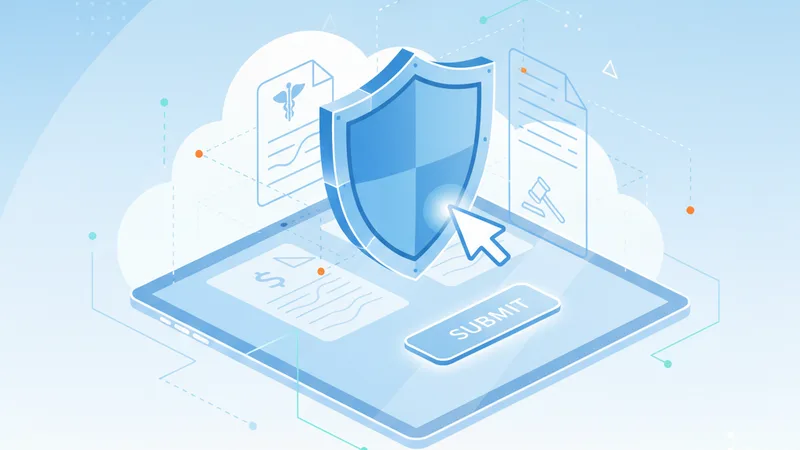
In our increasingly digital world, the convenience of online forms has become undeniable. From managing your healthcare records to handling intricate financial transactions and complex legal agreements, PDF forms are the backbone of countless sensitive interactions. While the ease of digital submission offers efficiency, it also introduces significant vulnerabilities. The personal data embedded within these documents – your medical history, social security number, bank account details, and even your signature – is incredibly valuable and, if compromised, can lead to identity theft, financial fraud, and severe privacy breaches. Protecting this information isn't just about avoiding inconvenience; it's about safeguarding your fundamental rights and well-being.
This comprehensive guide delves into the critical strategies and best practices for securely filling sensitive PDF forms. We’ll explore the inherent risks, arm you with privacy-first principles, and provide actionable steps to ensure your personal data remains confidential and protected, whether you're dealing with a hospital, a bank, or a legal firm. Understanding how to handle these digital documents with the utmost care is no longer optional – it's essential.
The Critical Importance of Secure Form Filling
Every piece of personal information you share online carries a risk. When that information is packaged within a PDF form – especially one containing multiple data points – the stakes escalate dramatically. Understanding why your data is so appealing to malicious actors and what can go wrong is the first step toward building a robust defense.
Why Your Data is a Target
Personally Identifiable Information (PII) is the currency of the digital underground. Your name, address, birth date, and social security number can be used to open credit accounts, file fraudulent tax returns, or gain access to your existing accounts. Medical records, often containing highly sensitive health conditions, insurance details, and treatment histories, are goldmines for targeted fraud, blackmail, and even medical identity theft, where someone uses your identity to obtain healthcare services. Financial details – bank account numbers, credit card information, investment portfolios – offer direct avenues for monetary theft. Legal documents, encompassing everything from property deeds and contracts to wills and court filings, reveal crucial aspects of your life that can be exploited for various nefarious purposes.
The sheer volume and interconnectedness of information within a single sensitive PDF make it a prime target. A successful breach of such a document can provide attackers with a holistic view of an individual's life, enabling more sophisticated and damaging attacks.
Understanding the Risks: What Can Go Wrong?
- Identity Theft: The most common and devastating outcome, where criminals use your PII to impersonate you for financial gain or other illicit activities.
- Financial Fraud: Unauthorized transactions, new credit lines opened in your name, or direct theft from your bank accounts.
- Medical Privacy Breaches: Your health conditions becoming public, insurance fraud committed under your name, or denial of future coverage due to compromised medical history.
- Reputational Damage: False information or sensitive details being leaked, impacting your professional or personal standing.
- Phishing and Social Engineering: Once criminals have some of your data, they can craft highly convincing phishing emails or manipulate you into revealing more information.
- Malware and Spyware: Unsecured form filling processes can expose you to malware designed to capture keystrokes or steal data from your device.
- Unintended Data Exposure: Even without malicious intent, improperly handled forms can accidentally expose your data to unauthorized individuals or systems.
These risks underscore the necessity of a proactive and vigilant approach to every sensitive PDF form you encounter.
Key Principles of Privacy-First Form Filling
Adopting a privacy-first mindset means prioritizing the security and confidentiality of your data at every stage of the form-filling process. This approach is built upon several foundational principles that guide your actions and decisions.
Principle 1: Data Minimization
The less data you share, the less data there is to potentially compromise. This principle encourages you to critically evaluate every field in a form. Ask yourself:
- Is this information absolutely necessary for the purpose of this form?
- Is this an optional field? If so, do I truly need to provide it?
- Does the request for this data seem disproportionate to the service or transaction?
Many forms include optional fields that organizations use for marketing or demographic analysis. While seemingly innocuous, every piece of extra data adds to your digital footprint and potential exposure. Don't hesitate to leave optional fields blank if they don't contribute to the primary purpose of the form and you're uncomfortable sharing the information.
Principle 2: Secure Environment
Your physical and digital surroundings play a crucial role in data security. Filling sensitive forms requires a secure environment, free from eavesdroppers or digital threats.
- Use a Trusted Device: Always use your personal computer or device, which you regularly update and secure with antivirus software. Avoid shared computers or public terminals.
- Secure Internet Connection: Public Wi-Fi networks (e.g., at cafes, airports) are inherently insecure and can be easily intercepted. Always use a private, password-protected network, or a reputable VPN (Virtual Private Network) when handling sensitive data.
- Private Setting: Be mindful of who might be looking over your shoulder. Ensure you are in a private space where your screen cannot be viewed by others.
Principle 3: Verification and Authentication
Before you even begin filling out a form, you must verify its legitimacy. Phishing scams often involve cleverly designed fake forms that mimic official documents to trick you into revealing your data.
- Verify the Source: Always download forms directly from the official website of the organization (e.g., your bank's official portal, a healthcare provider's patient portal, a government agency's direct site). Never click on links in unsolicited emails, even if they appear to be from a trusted source.
- Check for Digital Signatures: Many legitimate PDFs will have digital signatures that verify their authenticity and that they haven't been tampered with. Learn how to check for these signatures in your PDF viewer.
- Look for Security Indicators: When submitting forms online, ensure the website URL starts with "https://" and displays a padlock icon, indicating a secure, encrypted connection.
Principle 4: Encryption and Access Control
Even after a form is filled, its security is paramount. Encryption scrambles data, making it unreadable to unauthorized parties, while access control limits who can view or modify the document.
- Encrypted Transmission: When you submit a form online, ensure it's transmitted over an encrypted connection (HTTPS).
- Password Protection: For locally stored copies of sensitive forms, always apply strong password protection. This adds an essential layer of security should your device ever fall into the wrong hands.
- Restricted Access: Store sensitive documents in encrypted folders or cloud storage solutions that offer robust access controls and encryption.
Navigating Specific Sensitive Document Types
While the core principles apply universally, specific types of sensitive documents demand tailored considerations due to their unique regulatory frameworks and potential impact.
Medical Forms: Protecting Your Health Information (HIPAA Compliant Forms)
Medical forms are perhaps the most intimate of all, containing data regulated by strict laws like HIPAA (Health Insurance Portability and Accountability Act) in the United States. Breaching medical privacy can have severe consequences, from reputational damage to discrimination.
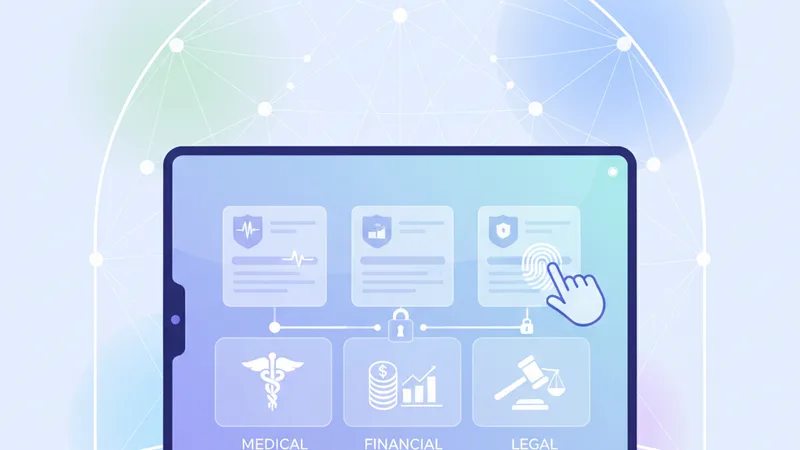
- Verify Your Provider: Ensure you are interacting with your actual healthcare provider’s official portal or website. Phishing attempts often target healthcare patients.
- Understand HIPAA Compliance: Hospitals and clinics are legally bound to protect your Protected Health Information (PHI). They should use secure, encrypted platforms for patient communication and form submission. Question any requests for sensitive information via unencrypted email or insecure channels.
- Review Privacy Policies: Familiarize yourself with how your healthcare provider shares your data. You often have rights to restrict certain disclosures.
- Secure Patient Portals: When submitting medical forms, always do so through your provider's established, secure patient portal, which offers robust encryption and authentication.
- Think Before Sharing: Be cautious about sharing medical information with third-party apps or wellness programs unless you fully understand their privacy policies and data handling practices.
Financial Forms: Safeguarding Your Economic Life (Financial Document Security)
Financial forms often contain your most valuable data – bank account numbers, credit card details, Social Security Numbers (SSN), and investment information. The primary risk here is direct financial loss and identity theft for monetary gain.
- Use Official Bank/Brokerage Portals: Always access and fill out financial forms directly within your bank's, credit union's, or investment firm's secure online portal. Never submit sensitive financial details via email.
- Strong, Unique Passwords: Your financial accounts demand the strongest, most unique passwords, ideally combined with two-factor authentication (2FA).
- Avoid Public Computers for Banking: Even if a computer looks secure, keyloggers or other surveillance software could be present. Stick to your private devices.
- Scrutinize Requests for SSN: While often necessary for tax or identification purposes, question any request for your SSN from entities that don't have a clear legal or business need for it.
- Monitor Statements: Regularly review your bank statements, credit card bills, and credit reports for any suspicious activity.
Legal Documents: Ensuring Confidentiality and Integrity (Legal PDF Privacy)
Legal documents – contracts, agreements, wills, power of attorney forms, court filings – often contain highly confidential information that impacts your rights, assets, and future. Maintaining their integrity and privacy is paramount.
- Lawyer-Provided Secure Platforms: If you are working with a legal professional, they should provide you with a secure, encrypted platform for sharing and signing documents.
- Digital Signatures: For legal documents, genuine digital signatures (which involve cryptographic validation) offer a much higher level of security and non-repudiation than simple electronic signatures. Understand the difference and ensure your platform supports them.
- Notarization Considerations: If a document requires notarization, understand whether an online notarization service is legally valid in your jurisdiction and how they ensure the security and identity verification process.
- Redaction for Public Filings: When preparing legal documents for public court filings, ensure that any sensitive personal information (e.g., full SSNs, bank account numbers) is properly redacted – permanently removed, not just hidden – before submission.
- Archiving Securely: Keep secure, encrypted copies of all signed legal documents.
Practical Steps for Secure PDF Form Filling
Armed with an understanding of the risks and core principles, let's look at a step-by-step approach to filling out sensitive PDF forms securely, complemented by specific PDF features that enhance protection.
Step-by-Step Guide to Filling Forms Securely
- Choose a Trusted, Privacy-Focused Tool: Your choice of PDF tool is foundational to security. Many online PDF editors upload your document to a server for processing, creating a potential point of vulnerability. For sensitive forms, opt for tools that prioritize client-side processing. For instance, tools like ContinuePDF offer a secure, browser-based environment for filling out forms without uploading your data to external servers. This ensures your sensitive information stays within your browser and never leaves your device, providing a robust layer of privacy.
- Download from Official Sources Only: Never open or fill out a PDF form from an unknown email attachment or an unofficial website. Always navigate directly to the official source (e.g., government agency, bank, healthcare provider) and download the form from their secure portal or verified links.
- Verify Form Authenticity: Before entering any data, inspect the form. Does it look legitimate? Are there any obvious spelling errors or odd formatting? Check for digital signatures if applicable, as these verify the document's origin and integrity.
- Use a Secure Device and Network: As highlighted earlier, ensure you are using your own updated device on a secure, private internet connection. Avoid public Wi-Fi.
- Fill in the Information Carefully: Take your time. Double-check every field for accuracy. Use the data minimization principle and only fill in what is absolutely required.
- Review Thoroughly Before Submission: Before clicking "submit" or "save," meticulously review every entry. A small error could have significant consequences, and once submitted, it can be difficult to correct.
- Save Securely (or Print and Shred): Once completed, save a password-protected copy of the filled form to an encrypted local drive or a secure cloud storage service. If a physical copy is required, print it and then securely shred any electronic copies on your device that are no longer needed.
Enhancing Security with PDF Features
Modern PDF tools offer features that can significantly bolster the security of your filled forms:
- Password Protection: After filling out a sensitive PDF, you can add a strong password to restrict access to it. This means anyone trying to open the file will need the password, adding a critical layer of defense. Many PDF editors allow you to set different passwords for viewing, editing, or printing. Learn how to add password protection to your PDFs for enhanced security.
- Redaction: This feature allows you to permanently black out or remove sensitive information from a document, ensuring it cannot be recovered. Unlike simply drawing a black box over text, true redaction removes the underlying data. This is crucial for public filings or when sharing a document where only parts of it are relevant.
- Flattening Forms: After filling, "flattening" a PDF converts interactive form fields into static text. This prevents accidental changes to the data, makes it harder for malicious actors to extract information from editable fields, and ensures the document's content is fixed as intended.
- Digital Signatures: Beyond a mere image of your signature, a digital signature uses cryptographic techniques to verify your identity and confirm that the document has not been altered since it was signed. This provides non-repudiation, meaning you cannot later deny signing the document.
- Optimizing and Compressing: While not a direct security feature, managing file size can be useful. For instance, if you have a large document with many pages and graphics, you might consider using a tool to compress PDF files before secure transmission, ensuring it meets size limits without compromising content.
The Role of Browser-Based Tools in Privacy
The distinction between server-side and client-side processing is crucial when considering online PDF tools. Many traditional online PDF services require you to upload your document to their servers for processing. This means your sensitive data temporarily resides on a third-party server, potentially exposed to various risks, including data breaches, accidental logging, or even unauthorized access by service employees.
Browser-based tools that utilize client-side processing operate differently. When you use such a tool, like ContinuePDF, your document is processed entirely within your web browser. This means your sensitive medical, financial, or legal data never leaves your device and is not uploaded to ContinuePDF's servers. The calculations, modifications, and form filling happen locally, directly on your computer or tablet. This architectural choice significantly reduces the risk of your data being intercepted, stored, or accessed by external parties.
Beyond enhanced privacy, client-side browser tools offer convenience. There's no software to download or install, making them accessible from virtually any device with a web browser. This combination of privacy by design and ease of access makes them a compelling choice for handling sensitive PDF forms, giving you greater control over your personal information.
Post-Submission Best Practices
Your responsibility for data security doesn't end the moment you click 'submit.' Post-submission practices are just as vital to maintaining long-term data protection.
- Confirm Submission and Retention: If applicable, retain any confirmation numbers, email receipts, or screenshots of successful submissions. This provides proof that you completed the form and can be crucial for dispute resolution.
- Secure Storage of Copies: Store copies of your filled forms – especially those with sensitive data – in a highly secure, encrypted location. This could be an encrypted folder on your computer, a password-protected USB drive, or a reputable cloud storage service with strong encryption and access controls. Ensure these copies are password-protected themselves. If you combine multiple related documents, consider using a tool to merge PDFs into a single, securely stored file.
- Deletion of Temporary Files: Once you've successfully submitted and securely stored a copy of your form, delete any temporary or working files from your device. Ensure these files are permanently deleted, bypassing the recycling bin.
- Continuous Monitoring: Vigilance is key. Regularly monitor your financial statements, credit reports, and explanations of benefits (EOBs) from your health insurance provider. Look for any discrepancies, unauthorized transactions, or unfamiliar activities. Promptly report any suspicious findings.
- Shred Physical Copies: If you printed any sensitive forms, ensure they are shredded beyond recognition using a cross-cut shredder once they are no longer needed.
By extending your security measures beyond the point of submission, you create a comprehensive defense strategy that protects your personal data throughout its lifecycle.
Navigating the digital landscape of sensitive PDF forms demands a proactive, privacy-first approach. The increasing digitization of medical, financial, and legal documents underscores the necessity of understanding the risks and implementing robust security measures. By adopting principles such as data minimization, operating in secure environments, verifying document authenticity, and leveraging encryption, you empower yourself to protect your most valuable personal information.
Choosing the right tools, particularly those that prioritize client-side processing like ContinuePDF, is a fundamental step in this process. These tools ensure your data remains on your device, offering unparalleled privacy as you fill and manage critical documents. Coupled with diligent post-submission practices – secure storage, vigilant monitoring, and careful deletion – you establish a comprehensive shield against potential threats.
Your personal data is your right to control. Embrace these strategies to confidently handle sensitive PDF forms, safeguarding your privacy and peace of mind in an interconnected world.
Actionable Takeaways:
- Always use official sources for downloading sensitive PDF forms.
- Prioritize tools that process files client-side, within your browser, to keep data on your device.
- Apply password protection to any sensitive PDFs you save.
- Regularly monitor financial and medical statements for suspicious activity.
- Shred physical copies and securely delete digital copies of sensitive forms when no longer needed.